
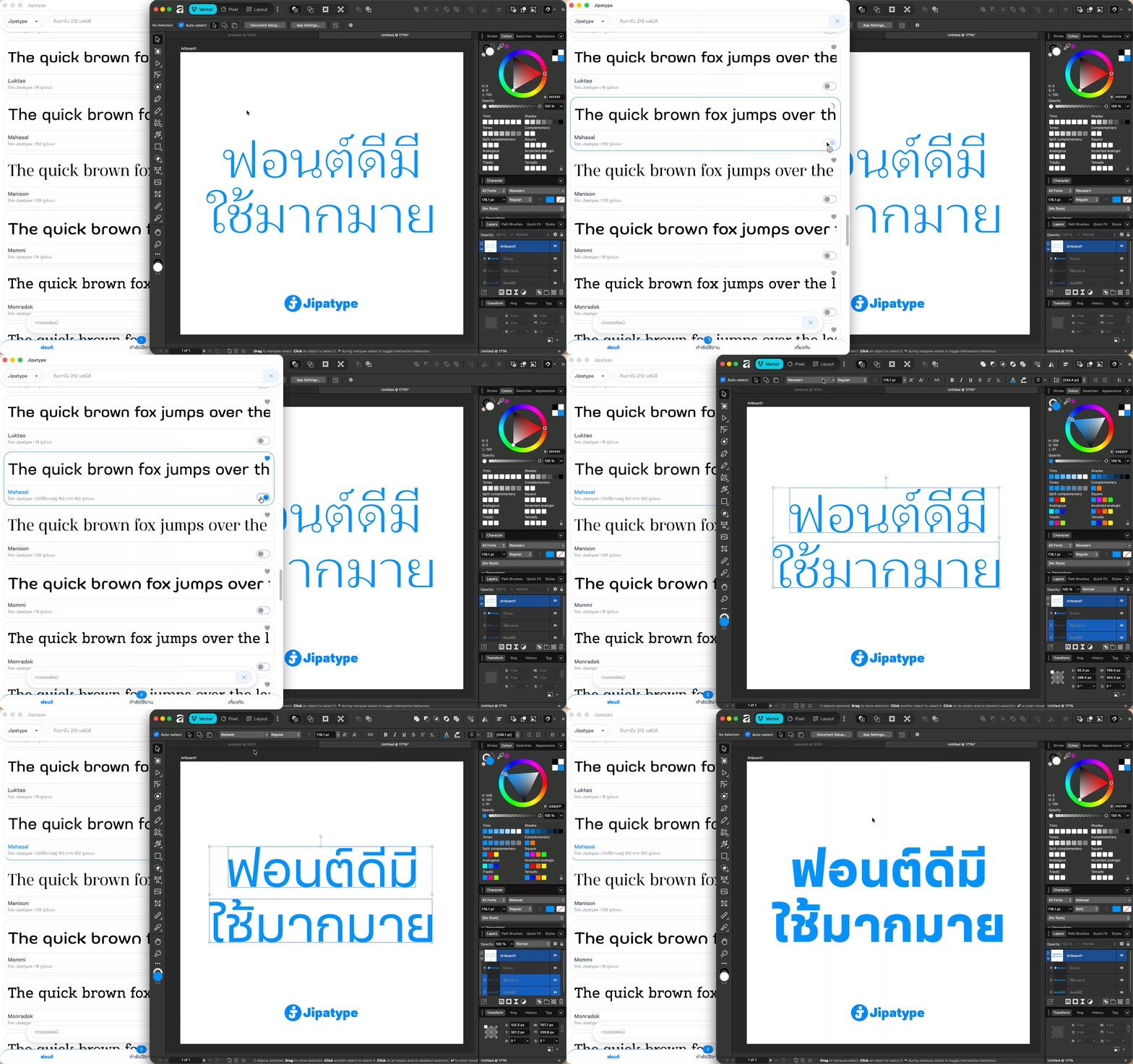
Introducing the Jipatype app, your seamless gateway to my entire font library. It integrates effortlessly with the industry standard design tools you already use, including Adobe Creative Cloud, Affinity, and more. It couldn’t be easier to use simply toggle on the font you want, and it will instantly appear in your software’s font menu. The experience is just like Adobe Fonts, a tool you are likely already familiar with.
Download Application

MacOS

WindowsOS
Recommend MacOS Sonoma or Windows 11, Ram 16Gb or higher
Applications Compatible
Here is the list of applications compatible with the Jipatype app.
Adobe Photoshop CC 2024
Adobe Illustrator CC 2024
Adobe Premiere Pro CC 2024
Adobe After Effect CC 2024
Adobe InDesign CC 2024
Adobe Animate CC 2024
Affinity
Cavalry
Clip Studio Paint 4
Sketch
Figma Desktop
Linearity Curve
Linearity Move
Apple Final Cut Pro
Apple Motion
Pixelmator Pro
Wondershare Filmora
Microsoft Office Word 365
Microsoft Office PowerPoint 365
Microsoft Office Excel 365
Apple Page
Apple Keynote
Apple Numbers
Please note: Some design applications may require a restart to reload the font menu. I highly recommend activating your desired fonts before launching your creative software.
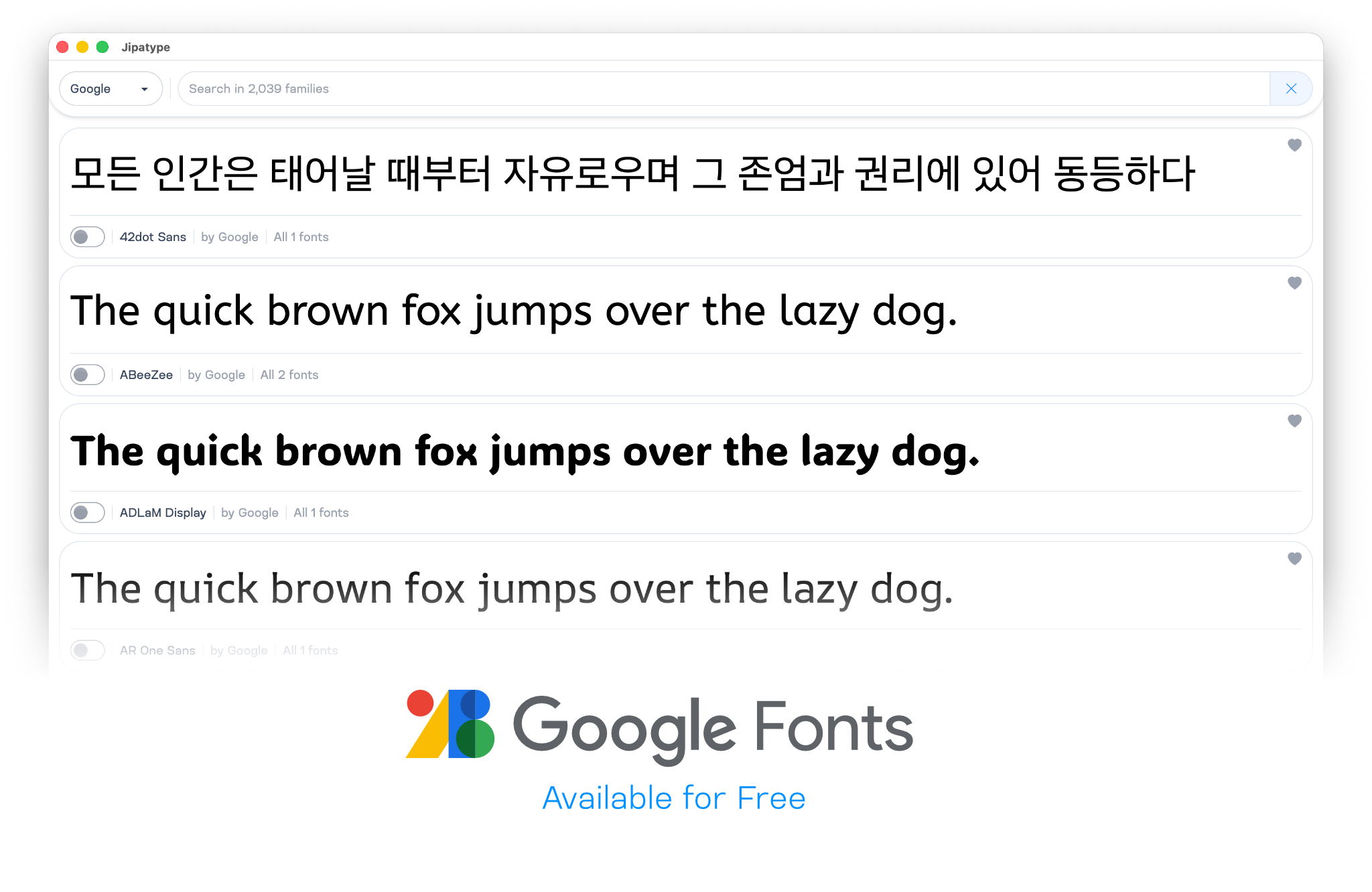
Google Fonts
The application integrates over 2,000 font families from Google Fonts, allowing you to jump straight into your creative projects. Best of all, it is completely free to use with no hidden costs.
Jipatype’s Fonts
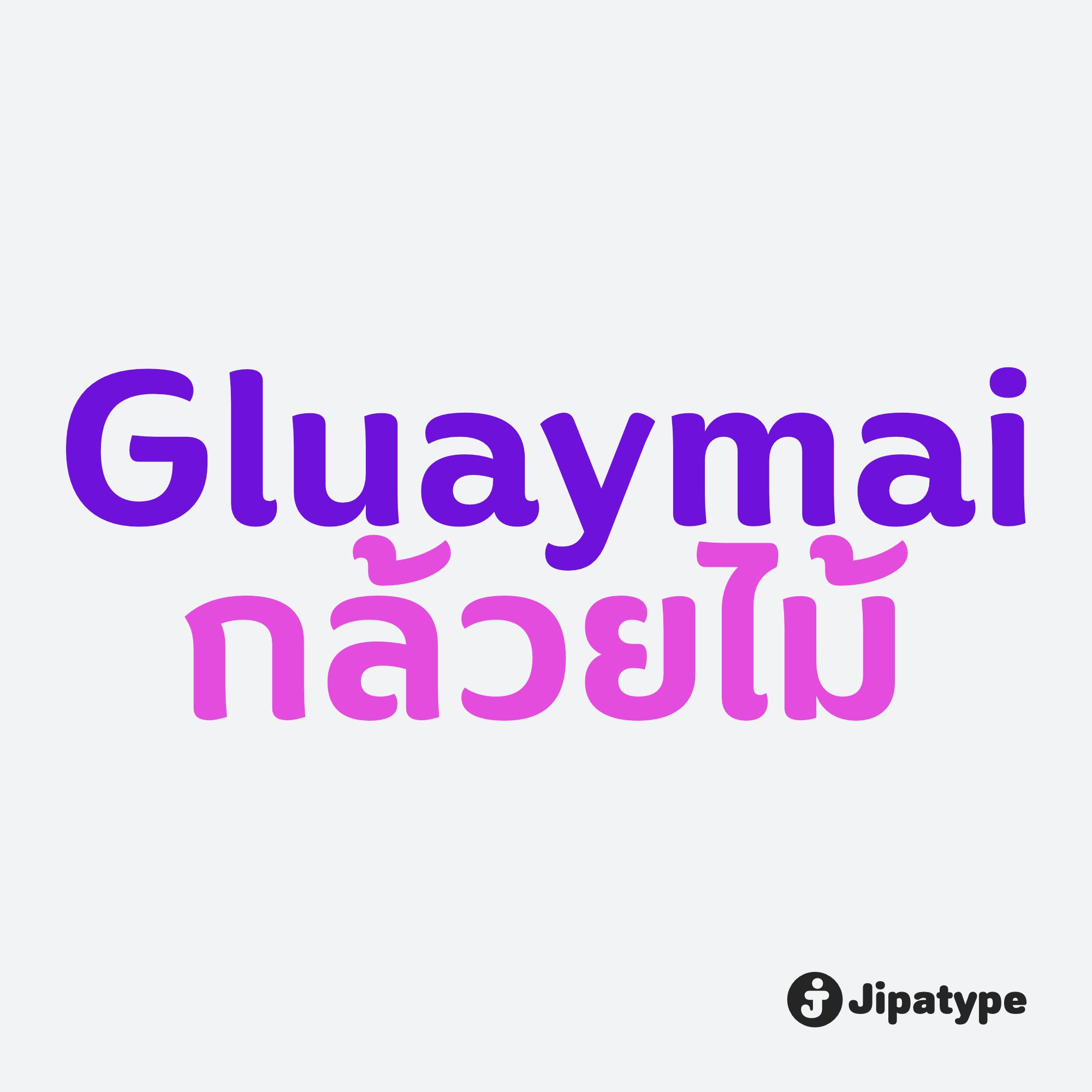
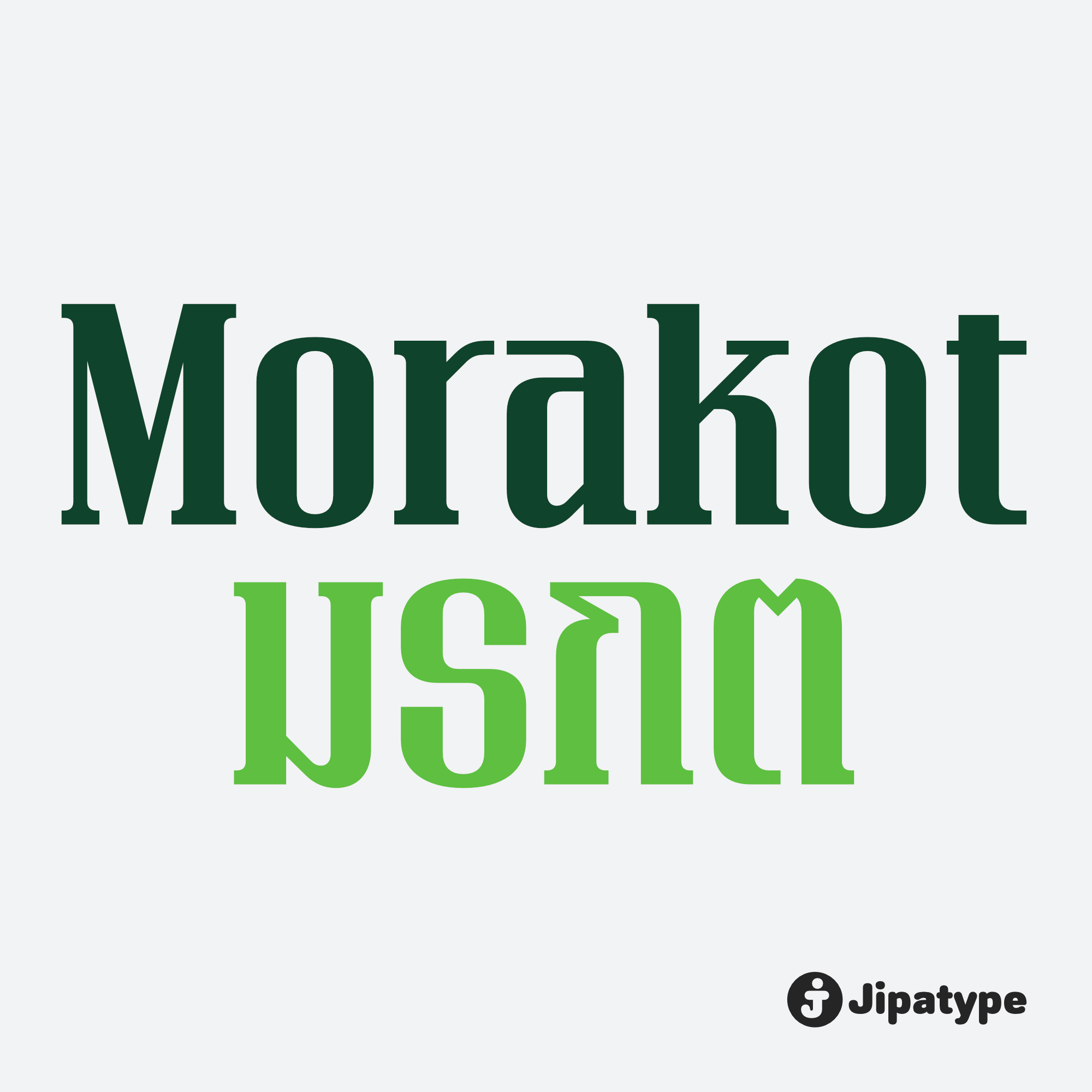
The name Jipatype is derived from the Thai word “Jipatha” (จิปาถะ), which translates to “miscellaneous” or “variety”. This name perfectly reflects our design philosophy and the diverse influences found within Jipatype’s fonts. We offer a rich selection of styles, sizes, and applications for every occasion featuring over 130 font families and more than 4,000 font files ready for you to explore. View all fonts

Plans
You can start using the application for free, with personal and commercial use. No personal information is required just simply install the app and you’re ready to go. If you wish to unlock entire Jipatype’s font library, Jipatype offers three additional plans to choose from.
Font Usage Stats
Below are the cumulative font activation statistics across all users through our application.
FAQs
General
How to Purchase
1. Open the Jipatype app and go to the “About” tab.
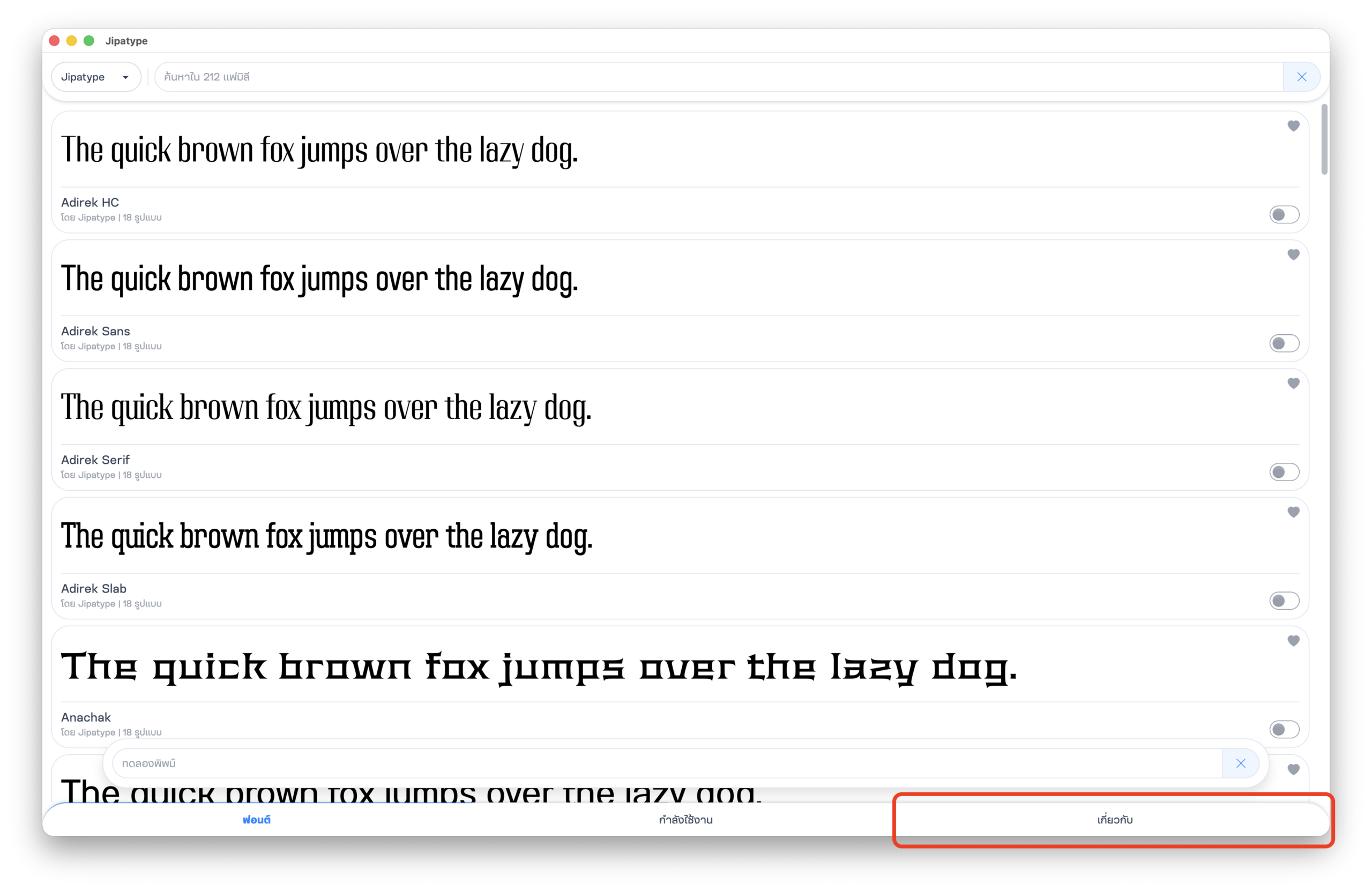
2. Click “Purchase Plan”.
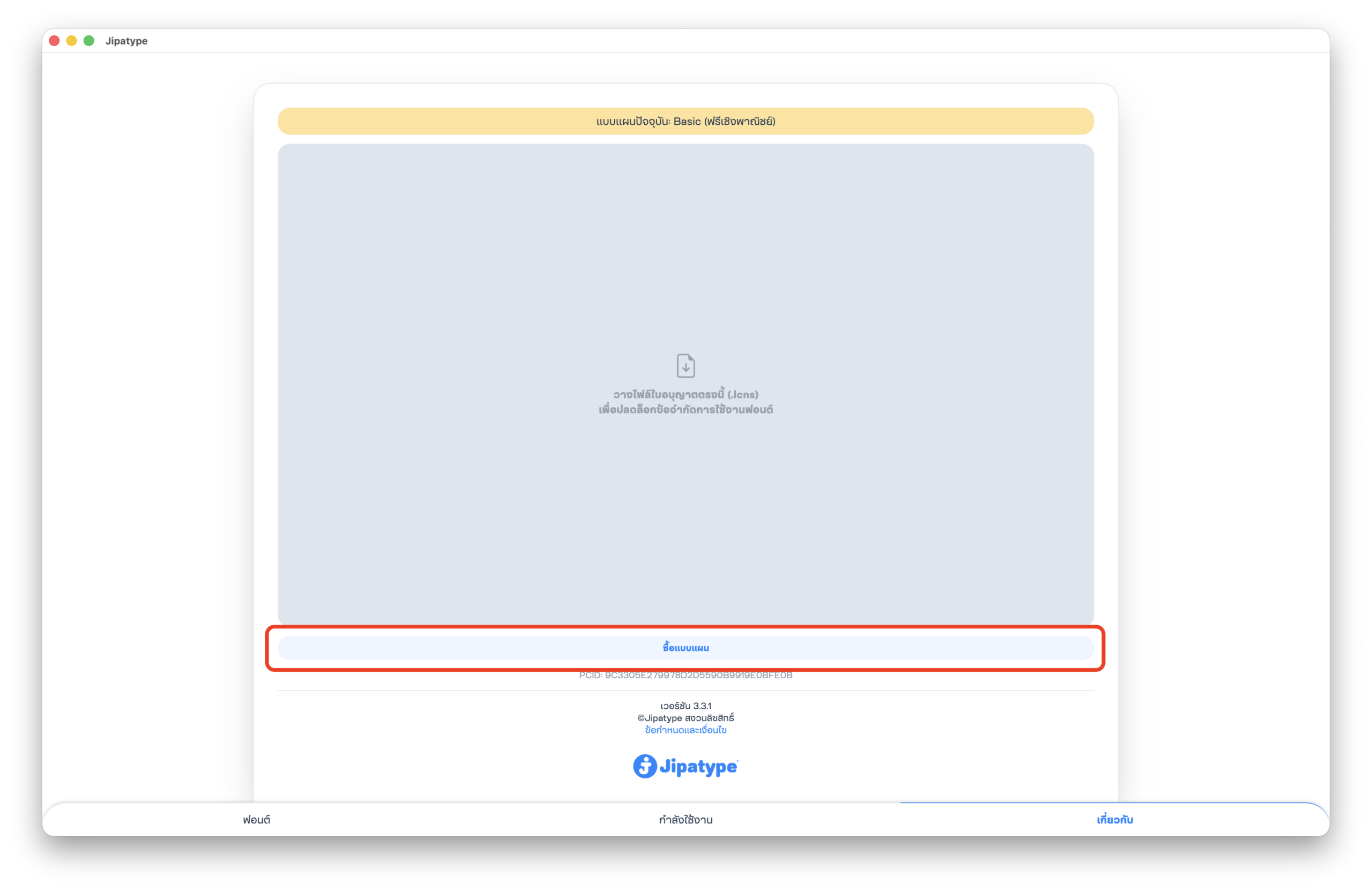
3. Select a plan and fill out the form.
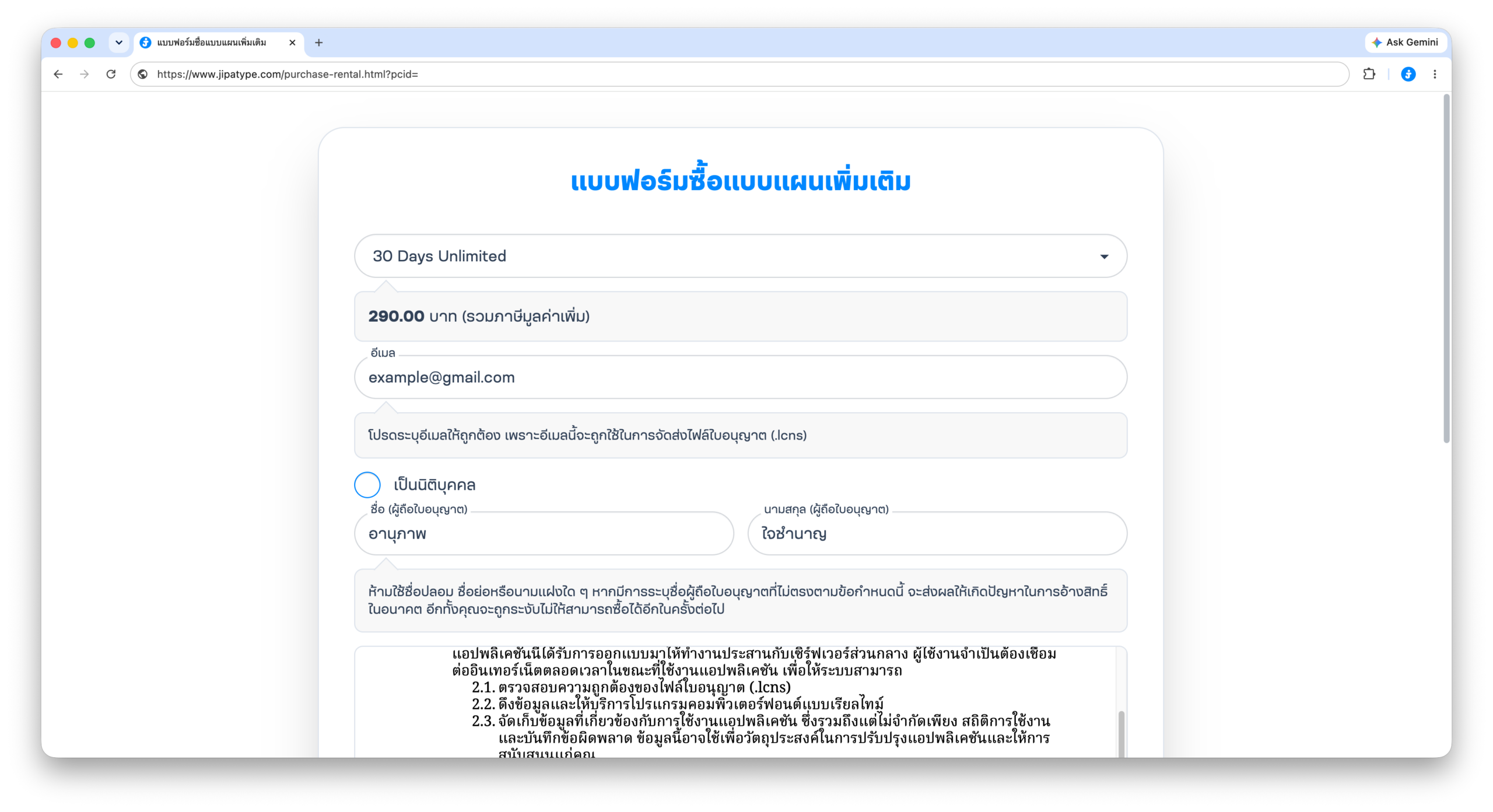
4 Click “Purchase”.
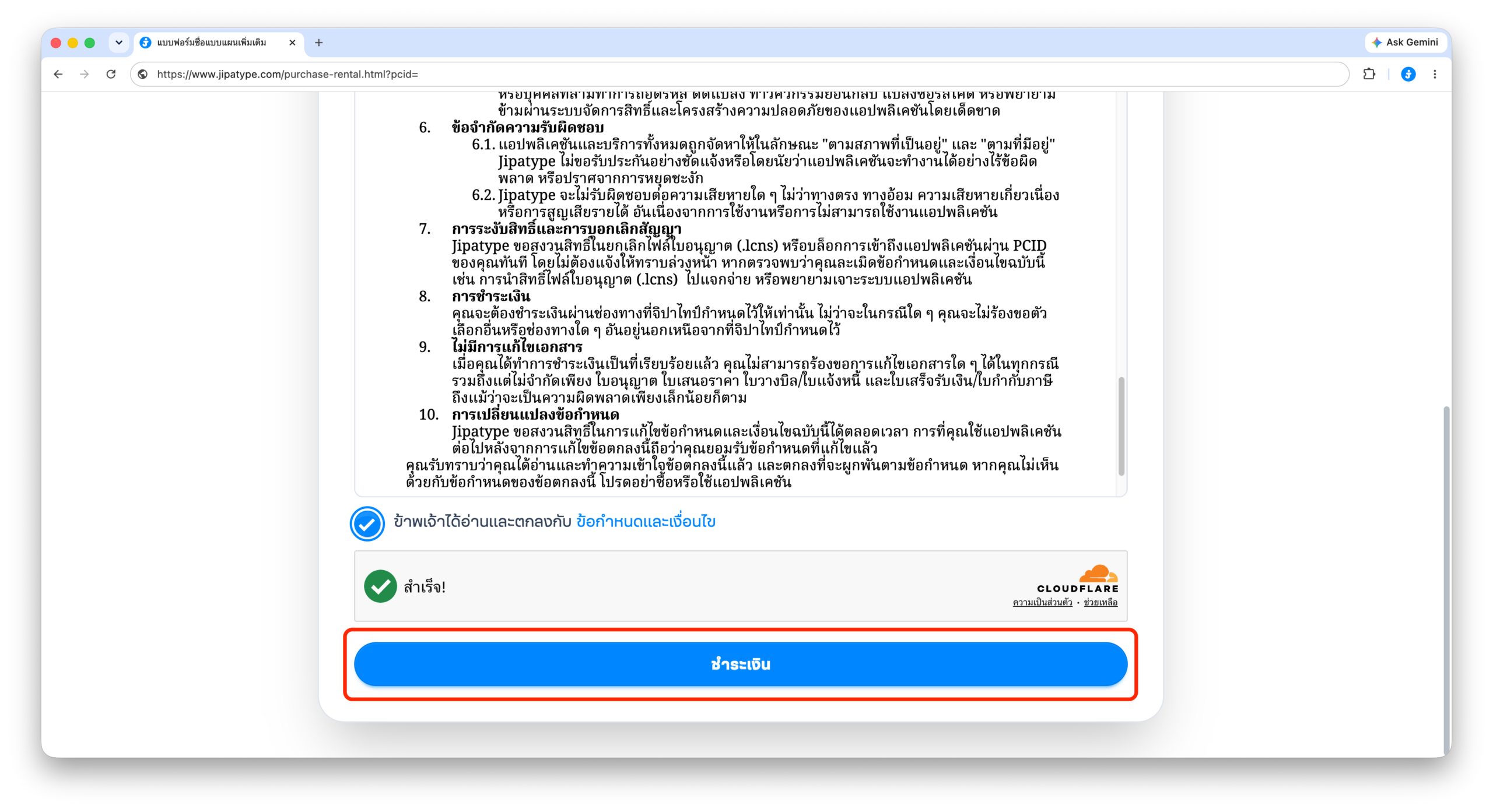
5. Choose your payment method and follow the instructions to complete the payment.
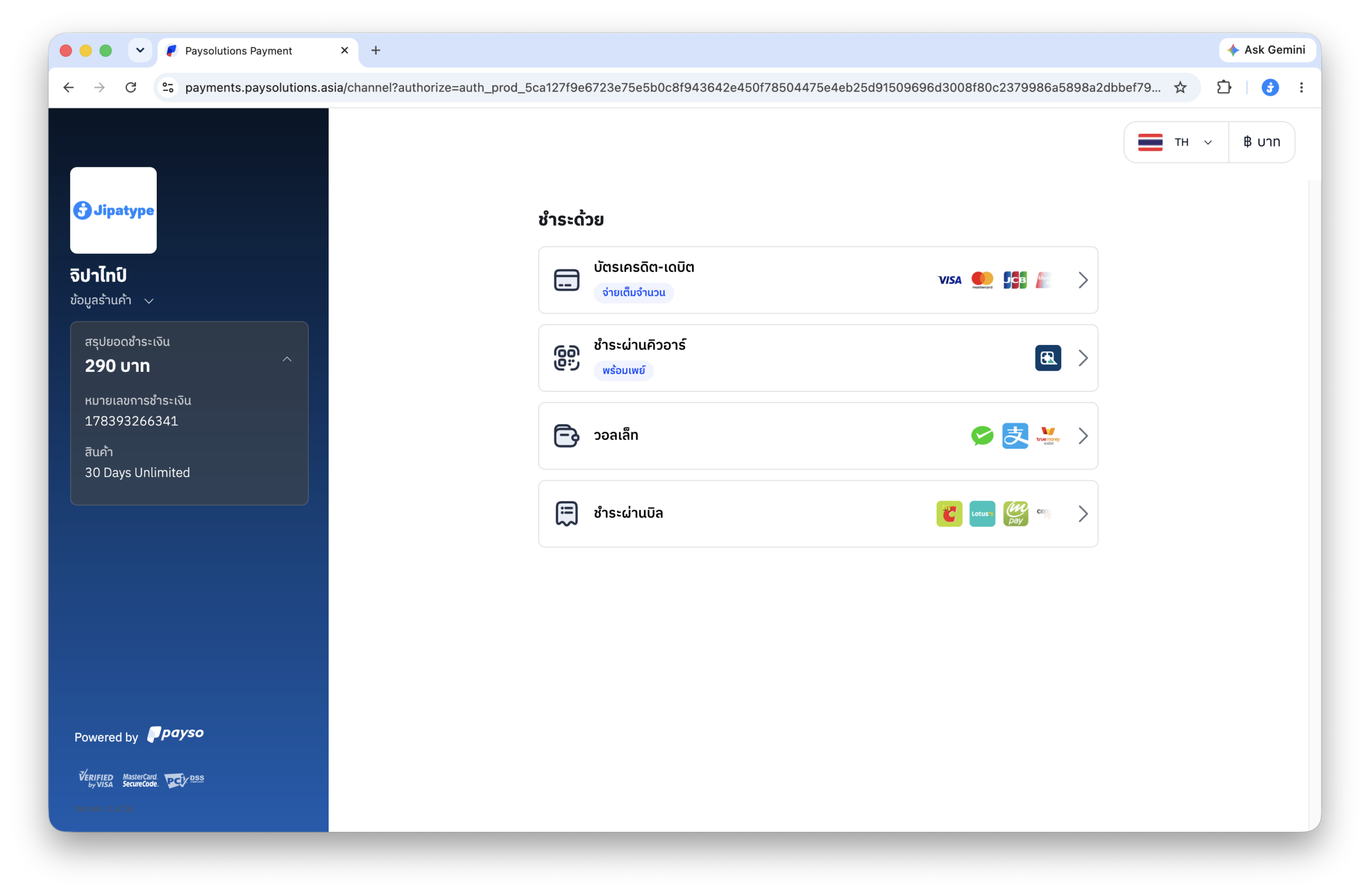
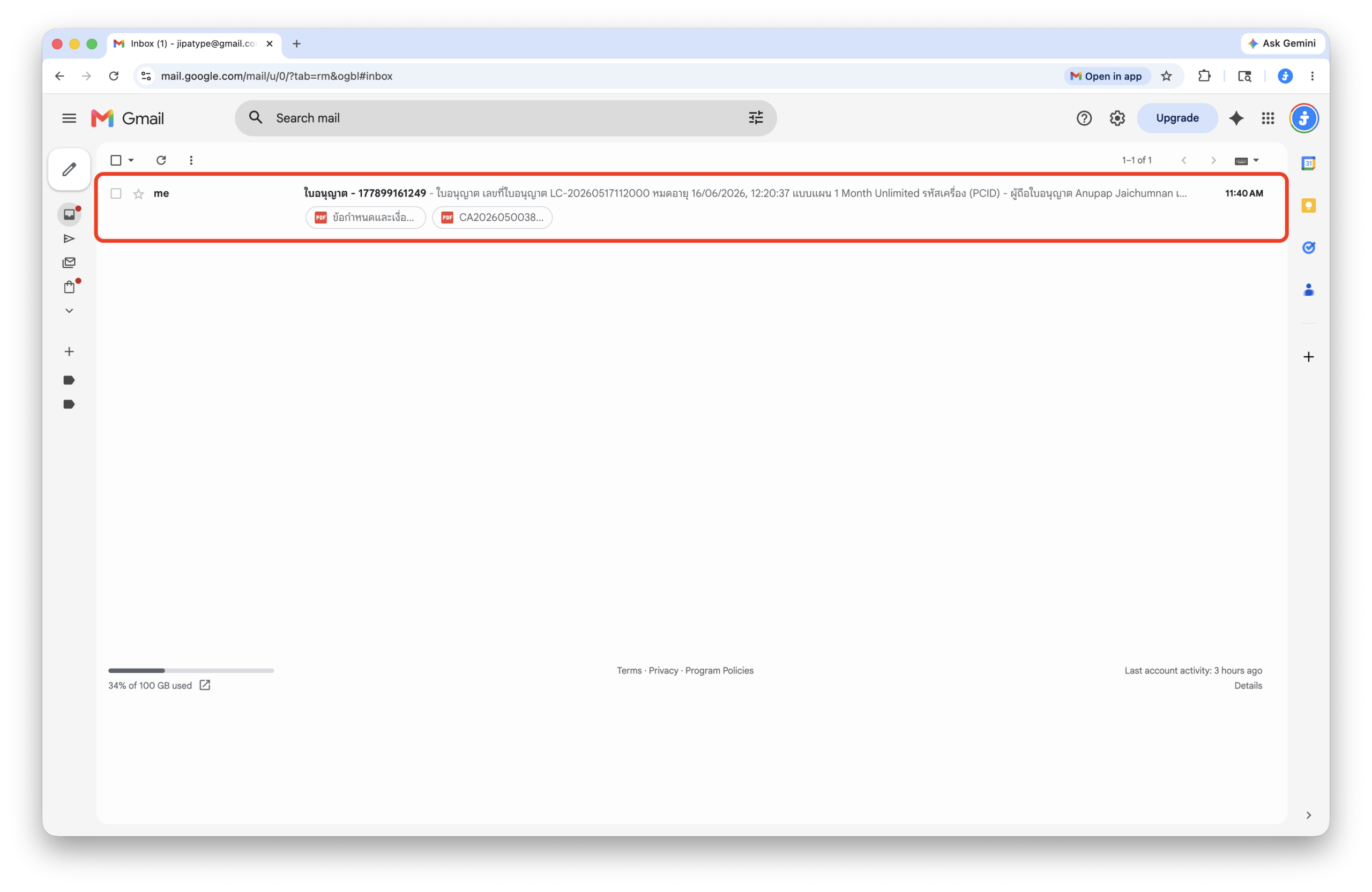
6. Once payment is successful, you will receive an email titled “License – <Order No.>”. Open this email.
7. Click “Download License File (.lcns)”.
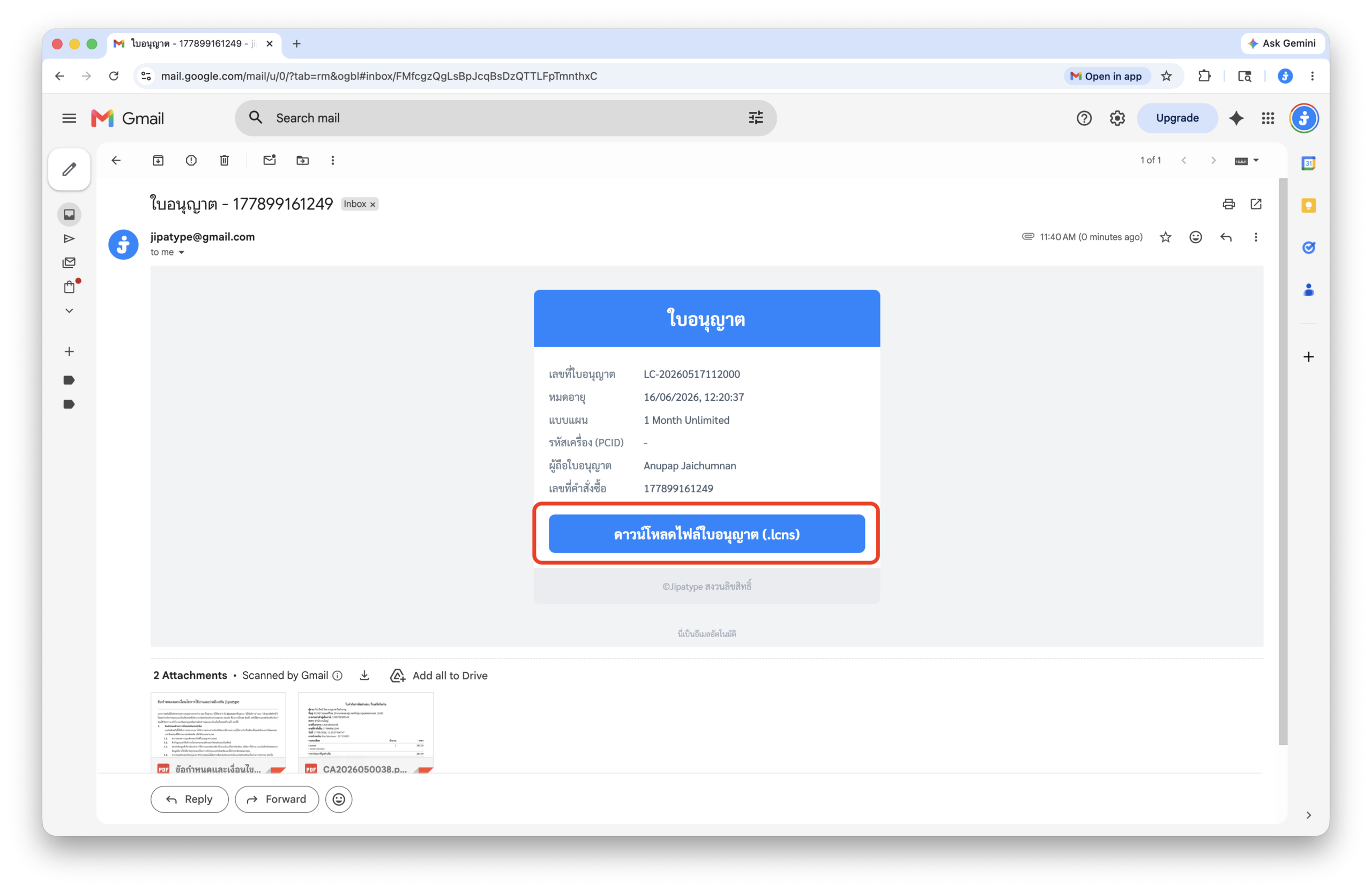
8. You will receive a .lcns file.
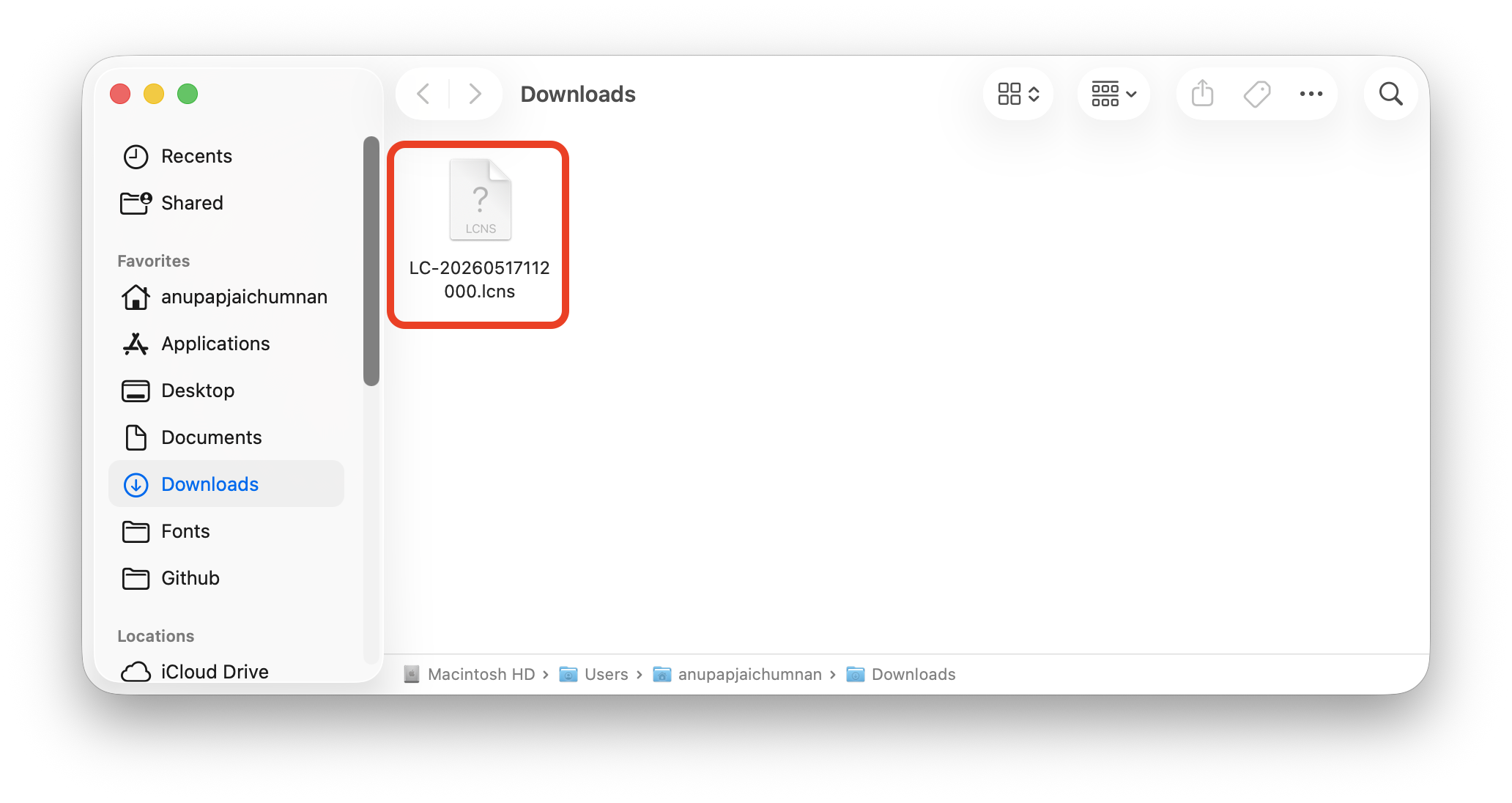
9. Import the .lcns file into the “About” tab of the Jipatype app to get started.
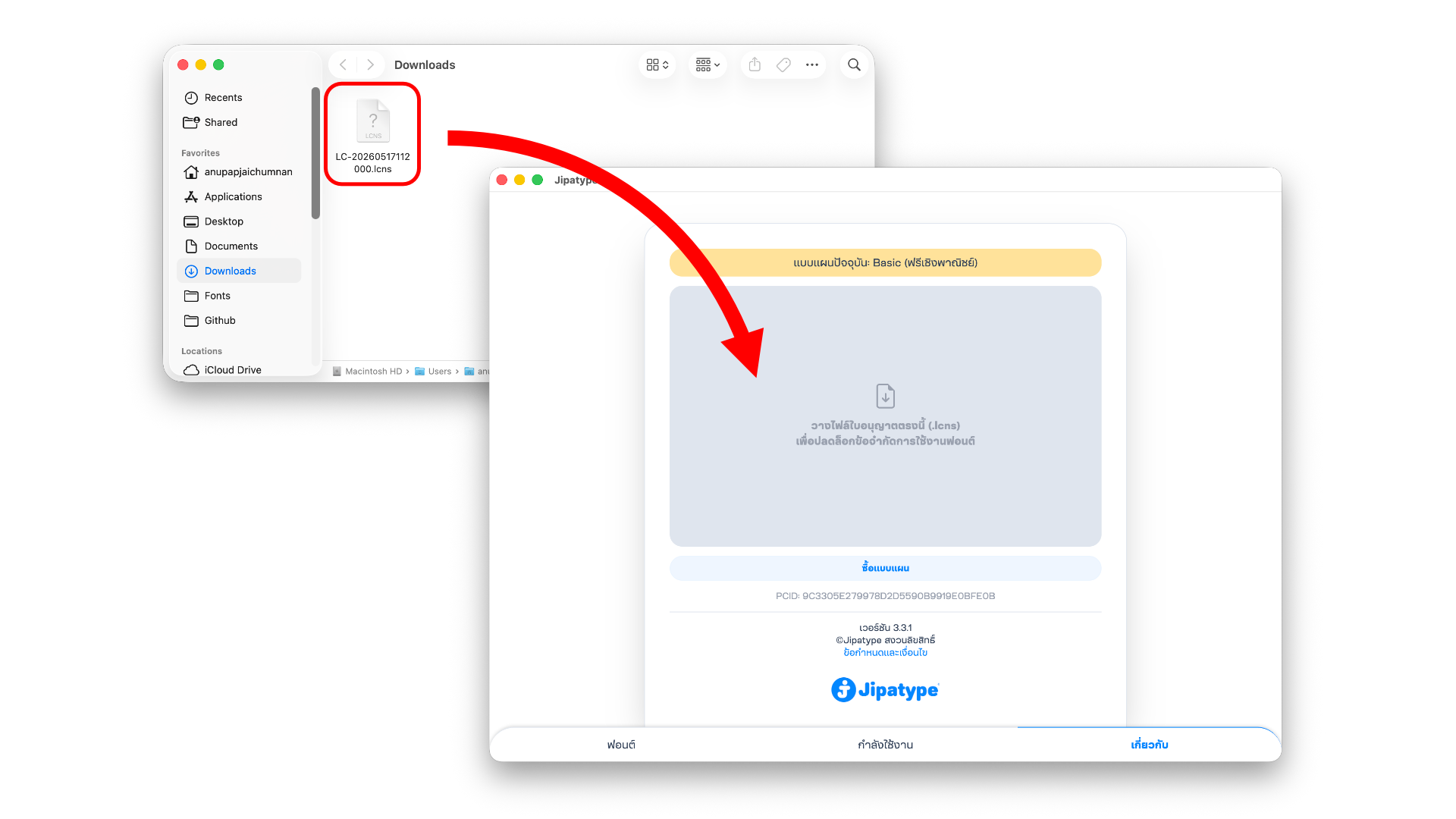
What kind of promotional media can I create?
Any promotional media, provided that the final output is a non-editable format such as .jpg, .png, .mp4, .mov, or converted to paths (Create Outline). You are permitted to print the resulting files on packaging, posters, books, or any physical print media, as well as publish them across any digital or online platforms.
Can I design promotional media for clients?
Yes, but a freelance or service contract must always be prepared.
Is there a limit on the number of projects I can create?
Unlimited, within the duration of your purchased plan.
Can I use the fonts to design logos or brand identities?
Yes
Do I need to take down media after my plan expires?
You can continue to use them.
Fixing Thai Vowel and Tone Mark Misalignment
Fonts may not display correctly in some creative apps, particularly Adobe software. This happens because the fonts use Mark attachment (the industry standard technique) to align vowels and tone marks. To fix this, you need to turn on advanced text rendering features in your application.”
MacOS
- Adobe Photoshop
- Select your text box.
- Window > Paragraph > Click “Three bar line” on the top right corner > World-Ready Layout
- Adobe Illustrator
- Adobe Illustrator > Settings (Preferences) > Type > Check “Show Indic Options” > OK
- Select your text box.
- Window > Type > Paragraph > Click “Three bar line” on the top right corner > Middle Eastern & South Asian Every-line Composer
- Adobe Idesign
- Select your text box.
- Window > Type & Tables > Paragraph > Click “Three bar line” on the top right corner > Adobe World-Ready Single-line Composer
WindowsOS
- Adobe Photoshop
- Select your text box.
- Window > Paragraph > Click “Three bar line” on the top right corner > World-Ready Layout
- Adobe Illustrator
- Edit > Preferences > Type > Check “Show Indic Options” > OK
- Select your text box.
- Window > Type > Paragraph > Click “Three bar line” on the top right corner > Middle Eastern & South Asian Every-line Composer
- Adobe Idesign
- Select your text box.
- Window >Type & Tables > Paragraph > Click “Three bar line” on the top right corner > Adobe World-Ready Single-line Composer
App FAQs
App displays: “Error loading data”
App displays: “You have been suspended from using the application”
Please update the application to the latest version.
Is the Jipatype app supported on Canva, CapCut, mobile phones, or tablets?
Not supported
Why are the newly released fonts not showing up in the app?
Always update the application to the latest version, or click ‘Update Font List’ in the ‘About’ tab (available in version 3.3.7 and above).
Others
About Jipatype
Jipatype is a type foundry founded and operated solely by Anupap Jaichamnarn, based in Bangkok, Thailand. Officially established in 2022, the foundry’s journey began in 2019. The name “Jipatype” is derived from the Thai word “Jipatha” (จิปาถะ), meaning “miscellaneous” or “variety.” This name reflects the diverse design concepts and influences that shape Jipatype’s versatile font collections.
Custom font design?
I do not accept custom font design orders or modifications to any existing fonts.
Contact
jipatype@gmail.com